Did you ever dream about getting 100% lead enrichment coverage?
Finding anyone’s email every single time?
Or looking at your CRM without feeling like it’s a Gruyère cheese, full of holes and inconsistent data?
If you said yes to any of these… this one’s for you.
As Guillaume Cabane says:
"As you grow, you need more lead coverage, which can only be found across multiple vendors. Waterfall eliminates these pains and shares costs. No-brainer."
And he’s right, waterfall enrichment is the new status quo.
What the heck is waterfall enrichment? #
flowchart TD
    Lead[Lead Record]
    Lead --> Vendor1[Vendor 1<br/>e.g. Cognism]
    Vendor1 -- Match found --> Enriched[Enriched Record]
    Vendor1 -- No match --> Vendor2[Vendor 2<br/>e.g. Clearbit]
    Vendor2 -- Match found --> Enriched
    Vendor2 -- No match --> Vendor3[Vendor 3<br/>e.g. ZoomInfo]
    Vendor3 -- Match found --> Enriched
    Vendor3 -- No match --> NoMatch[No Match]
Waterfall enrichment = running your records through multiple enrichment vendors in a predetermined order until all required fields are filled.
This is not total enrichment, where every record gets sent to every vendor (and you pay multiple times for the same data).
With waterfall enrichment:
- Vendor A tries first
- If they miss something, Vendor B takes over
- If B misses it, Vendor C steps in
- You stop when you have what you need
It’s simple logic that can save you time and headaches, while maximizing your enrichment coverage.
Why most enrichment setups are broken #
I talk to SaaS scale-ups every week. They’ve got strong tech stacks: ZoomInfo, Apollo, Lusha, you name it, but no process behind them.
Ask how they manage enrichment and you hear:
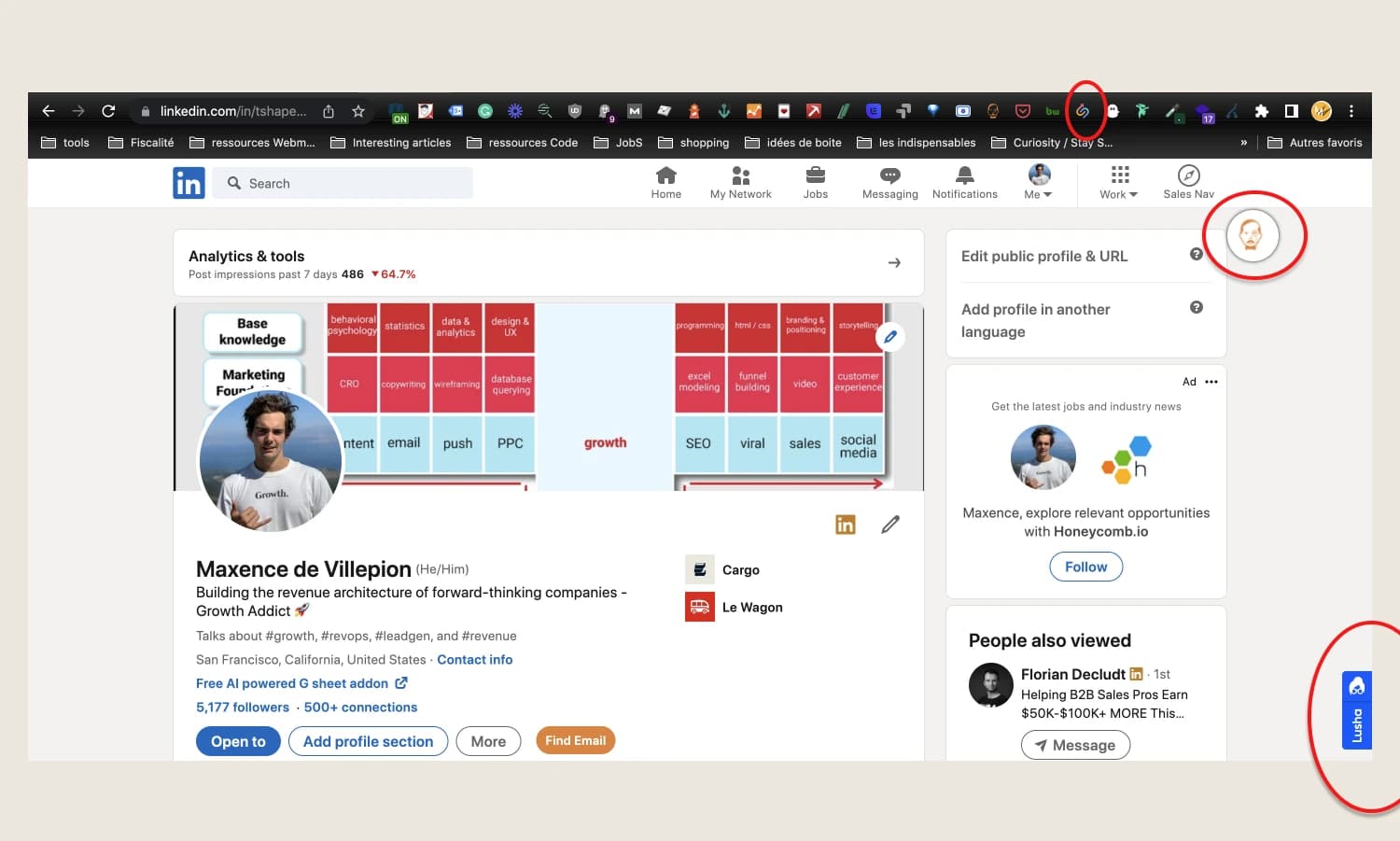
Translation:
- Reps spend 5 minutes per profile
- Data lives in browser extensions, not harmonized in all your systems
- Verification is manual (and often skipped)
Worse, if your enrichment tool is wired directly into your CRM, you’re enriching everything, including non-ICP personas who downloaded an ebook and will never buy from you.
Waterfall enrichment done right #
1. Benchmark your vendors (by region and field)
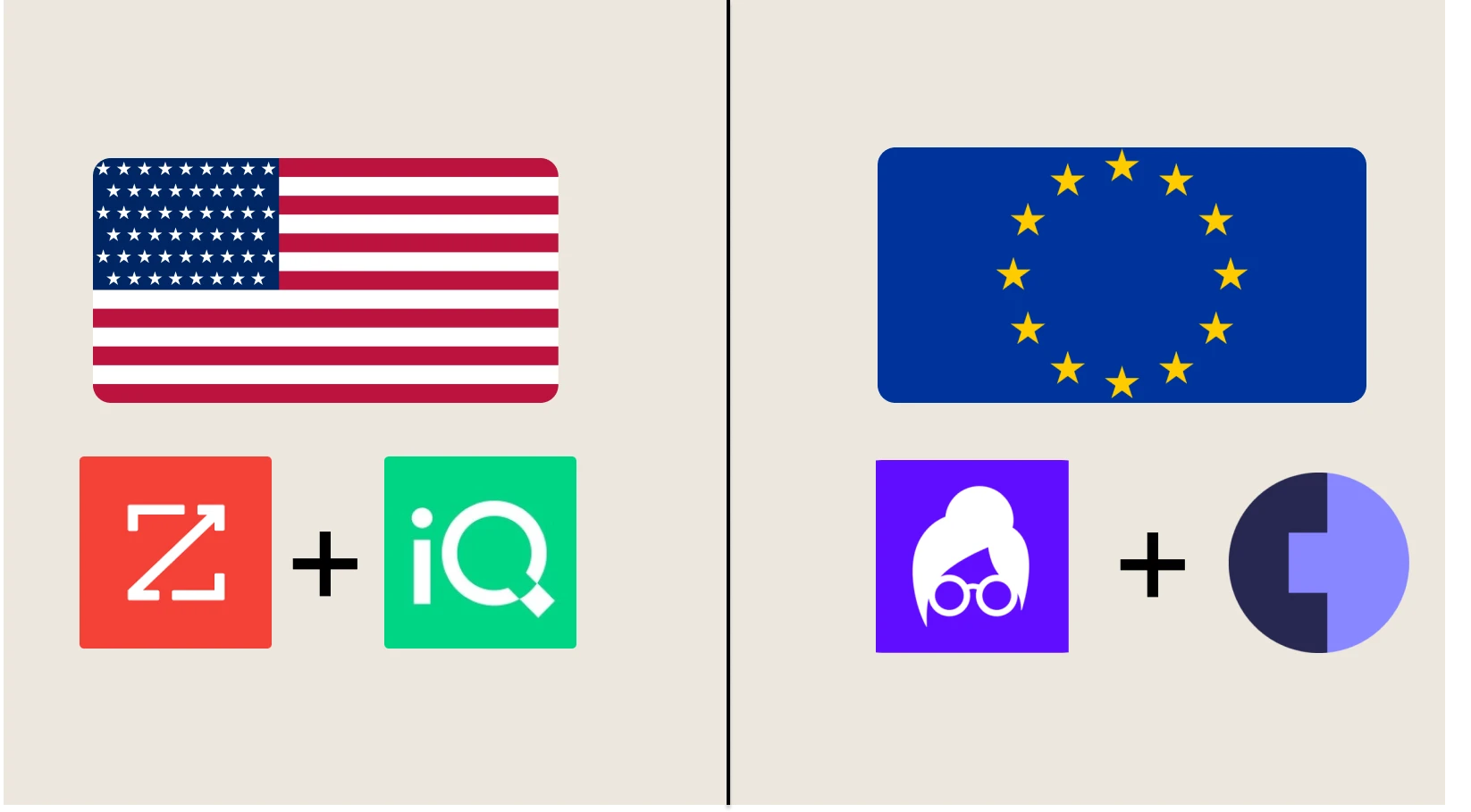
Vendors don’t perform equally everywhere, or on every field. You need to pick best in class for each attribute type.
Examples:
- Europe: Cognism + Lusha for overall enrichment.
- US: ZoomInfo + LeadIQ for overall enrichment
- Some vendors nail technographics (TheirStack, HG Insights, Sumble is my personal fav recently), others are better at financials (Pitchbook, Crunchbase, Dealroom)
- Account hierarchy: ZoomInfo or D&B are pretty solid (even if now, a well structured LLM can outperform any vendor, Hello ChatGPT-5 API)
If you want to build your own waterfall enrichment, run a sample test:
- Take 100 verified records from your CRM (ground truth)
- Enrich with each provider
- Measure:
- Coverage – % of fields they return
- Accuracy – match rate vs. your verified data
"With Cargo's customizable email waterfall, we tested different provider combinations to double our enrichment coverage to over 70% and achieve a 5–6× uplift compared to a single-vendor setup."
This logic works for any attribute (phone, email, tech stack, you name it)
Vendor A
Vendor B
Start your waterfall with the most accurate vendor, then move down the chain for coverage.
You know what is worse than missing data? False positives.
2. Go beyond email & phone: Field-level fallback logic
Yes, emails and phone numbers are the most common use case. But any critical field should have a fallback logic:
- Annual revenue
- Employee count
- Technographics
- HQ locations
- Any custom attribute
Rules for each field:
- Accept only above-confidence-threshold results (especially if data comes from LLM)
- Verify (SMTP, phone validation, business registry)
- Tag each field with provenance metadata so GTM, ops, and compliance teams know where it came from
3. Build it once - use it everywhere
Building amazing waterfall enrichment workflows without making it available in a self-serve way for your reps is just ego-boost.
The first customer for any given company are the people you work with. In that case, we’re talking about reps.
Once your waterfall logic is dialed in, make it omnipresent:
- Chrome extension – enrich while prospecting on LinkedIn
- CRM button – one-click enrich on a contact or account record
- Slack agent –
/enrich [email]to get data instantly in Slack - Inbound plays – auto-enrich high-intent form fills before routing
- AI assistants – feed waterfall-enriched data into your meeting prep or account research agents
The goal: enriched data is wherever your GTM team works, without context-switching or manual requests.
Why this matters for GTM operators #
- Every field can have a waterfall. Email, phone, revenue, industry… even custom attributes. Contact data coverage isn’t the goal, golden records (= on any attribute) are: Complete, verified, trusted data for your reps.
- Your team should never enrich manually again. Data should meet them where they work. Or even if you maximize enrichment, you’re still creating latency.
Key Takeaways #
- Accuracy beats coverage in waterfall order: Start with the most accurate vendor first (even if coverage is lower), then cascade to high-coverage vendors for gaps, false positives cost more than missing data
- Regional optimization is critical: Cognism + Lusha dominate Europe (GDPR-compliant), ZoomInfo + LeadIQ lead in US, TheirStack for technographics, vendors perform differently by geography and data type
- 5-6x coverage uplift possible: Single vendor delivers 10-15% email coverage; proper 3-vendor waterfall achieves 70%+ coverage, Descript proved this with 2x coverage boost
- Distribution unlocks adoption: Build waterfall once, deploy everywhere (Chrome extension, CRM buttons, Slack agents), enriched data must meet reps where they work, not in a separate tool
- Every field deserves a waterfall: Not just email/phone, apply waterfall logic to revenue, industry, technographics, any critical attribute for true “golden record” data quality
Frequently Asked Questions #
Waterfall enrichment is a data strategy where you run records through multiple data providers sequentially, stopping when required fields are filled, to maximize both coverage and accuracy while minimizing cost. You query Vendor A first; if data is missing, try Vendor B; if still missing, try Vendor C. This avoids paying multiple vendors for the same data while achieving much higher coverage than any single provider.
Single provider gives you their coverage only (typically 10-20% for email, 30-40% for company data). Waterfall combines multiple providers strategically:
Single vendor approach:
- ZoomInfo alone: 15% email coverage
- Pay for 100 records, get 15 enriched
- Cost per enriched record: high
Waterfall approach:
- ZoomInfo → Apollo → LeadIQ cascade: 70%+ coverage
- Pay for queries only when needed
- Cost per enriched record: 60-70% lower
Plus you optimize for accuracy by putting the most accurate vendor first.
Depends on your geography and data needs:
For US contacts:
- ZoomInfo (highest accuracy, good coverage)
- Apollo (broad coverage, lower cost)
- LeadIQ (gap filling, niche profiles)
For European contacts (GDPR-compliant):
- Cognism (best accuracy + compliance)
- Lusha (broad coverage)
- ZoomInfo (gap filling)
For technographic data:
- TheirStack or Sumble (modern stacks)
- HG Insights (enterprise tech)
- BuiltWith (web technologies)
For financials:
- Pitchbook (private companies)
- Crunchbase (startups)
- Dealroom (Europe focus)
Test 100 verified records with each provider to find best accuracy/coverage for YOUR ICP before finalizing waterfall order.
Waterfall typically costs 20-40% more in total spend but 60-70% less per successful enrichment:
Single vendor economics:
- Cost: $1 per contact query
- Coverage: 15% success rate
- Cost per enriched: 6.67
Waterfall economics (3 vendors):
- Average cost: $1.30 per contact (not all hit 3 vendors)
- Coverage: 70% success rate
- Cost per enriched: 1.86
Result: 72% cheaper per enriched record, 4.7x more records enriched. The math works because you only cascade when needed, not on every record.
You CAN build it yourself with:
- Direct API calls to each provider in sequence
- Logic to check which fields are missing
- Conditional flow (if email found, skip to next field)
- Error handling and retries
- Rate limit management
- Cost tracking per provider
- Result storage and deduplication
However, maintaining 3-5 API integrations, handling edge cases, and distributing enrichment everywhere (CRM buttons, Slack bots, Chrome extensions) is substantial engineering effort.
Tools like Cargo provide:
- Pre-built provider integrations
- Visual waterfall builder (no code)
- Automatic field-level fallback
- Cost monitoring and alerts
- One-click deployment (CRM, Slack, Chrome)
- Testing and debugging interface
Rule of thumb: If you have < 100 enrichments/month, build yourself. If > 500/month or need distribution, use a platform. At 1000+/month, platform is 10x faster to implement and maintain.
Track four core metrics:
1. Coverage Rate
- Formula: (Records with complete data / Total records) × 100
- Target: 70%+ for email, 80%+ for company data
- Tracks: How well your waterfall fills gaps
2. Accuracy Rate
- Formula: (Correct enrichments / Total enrichments) × 100
- Target: 95%+ (test against ground truth sample)
- Tracks: Quality of enriched data
3. Cost Per Enrichment
- Formula: Total provider spend / Successful enrichments
- Target: Benchmark against single-vendor cost
- Tracks: ROI of waterfall vs alternatives
4. Time to Enrich
- Formula: Timestamp enriched - Timestamp triggered
- Target: < 30 seconds for real-time, < 5 min for batch
- Tracks: Latency and user experience
Break down by provider to identify underperformers. If Vendor C in your waterfall contributes < 5% incremental coverage, consider replacing them.
No! Selective enrichment saves massive costs:
Don’t enrich:
- Personal email addresses (@gmail, @yahoo), not business contacts
- Non-ICP companies (wrong size, wrong industry)
- Cold list uploads before any qualification
- Every website visitor (enrich only those who convert)
Do enrich:
- High-intent signals (pricing page visit, demo request)
- Sales-accepted leads before rep assignment
- New customer accounts for CS/expansion teams
- Target account lists for ABM campaigns
Example: Enriching 10,000 monthly website visitors at 13K/month. Filtering to 500 high-intent converts = $650/month. Same value, 95% cost savings.
Use a “pre-qualification gate” before enrichment, basic fit checks, email domain validation, company size ranges, to ensure you’re only enriching accounts worth pursuing.
Data freshness depends on field type:
Refresh quarterly:
- Employee count (companies grow/shrink)
- Job titles (people get promoted)
- Company revenue estimates
- Technology stack
Refresh annually:
- Company HQ location
- Industry classification
- Founding year
- Parent/subsidiary relationships
Refresh on trigger:
- Email deliverability (re-verify if bounce)
- Phone numbers (re-verify if no answer 3x)
- Funding status (when new round announced)
- Job changes (when LinkedIn update detected)
Don’t refresh:
- Historical data (past job titles, previous companies)
- Validated fields (confirmed email that’s working)
Cargo tip: Set up scheduled workflows to refresh critical fields on accounts > $X opportunity value or >Y days since last enrichment. Spend refresh budget on accounts that matter.
 MaxDec 14, 2025