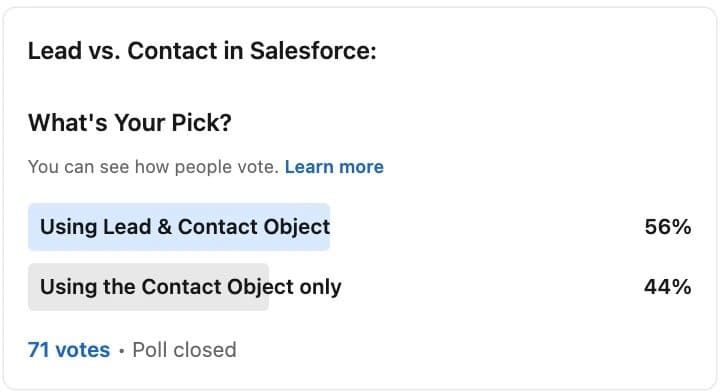
THE most divisive issue in RevOps that I’ve come across so far is the Leads vs Contacts debate.
The Lead object in Salesforce is a bit of a mixed bag. It’s like a temporary holding space for potential clients, but it’s not really clear what it is or why it’s there. It’s kind of stuck in limbo.
If you ask the people who’re in love with it, they’ll tell you they can’t live without it. For others, it is the messiest place in their whole CRM (customer relationship management) tool.
To be fair to Marc Benioff, there’s a smart reason behind creating it.
This Contact-Leads dichotomy lets the marketing team add their potential clients to the database without messing up the main sales areas: Accounts, Contacts, and Opportunities.
Sales and Marketing have always sat together uneasily, and this was an ok way to manage that turf war.
Sales teams often see these early-stage entries as uncertain and speculative. So, the Lead object acts as a tracker for these early steps in the sales process. When the lead can be linked to a company and has a high likelihood to convert to a potential sale, often determined via a scoring model (fit-based or behavioral), then it gets upgraded into a contact.
It’s a practical, not entirely elegant approach. My take though, is that it’s time to get rid of it. Hear me out.
Starting with basics first.
What is the Contacts object in your CRM? #
The Contacts object in your CRM stores info about the people your sales team talks to.
Contacts have lots of information because they are linked to Accounts (i.e. the companies these contacts work for). We save many details under Accounts that we wouldn’t ask for when we first meet someone.
In Salesforce, Contacts are also connected to Opportunities. This shows us their role in possible deals. This becomes more useful as the average size of your prospects increases, if you’ve been prospecting John Deere as an example, where you might have 10,000 Contacts but only 5 are really helping with the deal.
However, there are a few situations where managing Contacts can be tricky:
Cleaning up bad Info: Every Contact should be linked to an Account, but sometimes forms don’t ask for the Company Name.
Avoiding overcrowding accounts: In the past, we would only link Contacts to Accounts if they were key people we needed to talk to.
How salesforce works: Salesforce was originally built to focus more on Leads for follow-ups and creating Opportunities.
When Salesforce was being setup, it tried to solve this dilemma with a technical solution. By introducing another object, called Leads.
Neat solution, but it introduced some problems of its own.
Why do we need a Leads object? #
Leads are like a temporary space for people that may become contacts at some point. By keeping these apart, it helps keep our main contact list uncluttered.
Basically, Leads are people we are not sure about yet:
- They might work at a company (aka Account) we already know, be a new chance to make a sale, or they might not be useful for us.
- Usually, when someone seems interested, we add them as a lead. Then, we check if they are really a good fit for us. If yes, we move them to our main contact list. If not, we forget about them being there.
- Leads usually don’t have a direct connection to Accounts in our system.
When someone is a Lead, we usually know only a few things about them:
- What they told us on a website form.
- Information from a list we bought: lists bought on ZoomInfo or Lusha, usually show up in our system as leads
- Or, what was on their business card.
This way of doing things often misses important details. Are they already a customer? Are they involved in a current deal? Do they work at an account we’re targeting?
The Downsides of Using a Leads Object #
- Leads are like a Messy Drawer: Even though it’s good to have a place to put information quickly, it often ends up being too cluttered to find anything later on. Like a junk drawer.
As Leads are built to be these free-form records inside your CRM, they hardly follow any norms. Most of them will be missing important fields of data, each in their own way.
For example, among many leads from the same company, they might have slightly different information - like different ways of writing the company’s name or different industries listed.
Of course, data stored by these Leads doesn’t remain static in the real world. Ideally, you could consistently enrich and standardise this mess with 3rd party databases. But these are expensive and it doesn’t necessarily make economic sense at that scale, enrichment is typically paid per record.
Given what most companies’ Leads objects look like, it’s generally a nightmare to try to integrate it to a marketing tool to manage your interactions with your leads.
- Lead to Account Matching is a Nightmare: The problem stems from having two objects with fundamentally different characteristics.
While both objects represent individuals, Leads are unorganized and unqualified, whereas Contacts are organized under an Account record that they’re linked to.
The simplest way to put it: Leads are “non-enriched” Contacts. Qualifying them through data enrichment or touchpoints costs time and money, and a clean method to automate this still eludes most teams, often due to persistent duplication issues.
- It confuses handover and ownership between marketing & sales: Ironically, the Lead object, designed to keep peace between teams, often makes the turf war worse.
Consider these questions:
Under what conditions should a Lead become a Contact?
Deciding when to turn a lead into a contact can be tricky and lead to disagreements within the team. Should a mere touchpoint be the trigger, or does it take multiple touchpoints and passing scoring thresholds for a Lead to become a contact?
Who should make that call, an SDR or an account executive?
Discrepancies in opinions arise: one team member might see potential in a prospect, while another disagrees. And then there’s the age-old tug-of-war between marketing and sales. Does marketing handle Leads while sales focuses on Contacts? But what if sales bypasses marketing and creates Contacts directly?
- Reporting is Tougher: When you want to make reports, having leads and contacts separate can make it complicated.
Imagine you wanted something simple like: a list of all managers or directors at software companies in California that aren’t already customers.
To get these numbers, you’d need to pull multiple reports, download spreadsheets, match up the data, remove duplicates, and then send it out.
It adds a lot of extra steps.
- Training and Daily Work Get Complicated: Even though in theory sales reps should only need to follow up with Leads, in reality, they end up having to check both Lead and Contact objects in the CRM before taking actions.
This makes everything more complicated, from daily tasks to training new team members.
What if we used only the Contacts object #
After reading this article, you decide you’re using only the straightforward Contacts object. Anything resembling “Leads” can just be a stage attribute if necessary.
Easy sell? Not yet.
So far, the GTM world has lacked an efficient automation environment to execute workarounds for the drawbacks of a Contacts-only approach that we discussed at the beginning of this article.
But that’s changing. Modern revenue orchestration platforms now provide the infrastructure needed to make this work, and this is exactly what we built Cargo to solve.
Here’s how it works.
Yes, you need a separate space to work on unqualified contacts (the function Leads served), to avoid polluting your main Contacts object.
My take: that separate space should not be in your CRM at all. Your CRM wasn’t built to be a junk drawer.
In an era of automation and waterfall enrichment, pushing incomplete records to your CRM is retrograde.
What if there was an intermediary system designed to transfer only enriched, validated, and scored contacts into your CRM, whether they’re linked to an existing or a newly established account?
You can call it a middleware. Max likes to refer to it as a Prospect Relationship Management Solution (it makes for better initials, admittedly)
I call it, to keep it simple, a pre-CRM solution.
What does it imply? It’s a system where you store your entire Total Addressable Market, pre-qualified prospects, until they’re ready to become real Contacts in your CRM.
It comes with a workflow builder (that salespeople can actually use) that integrates with best-in-class sales tools, allowing you to systematically perform segmentation, enrichment, scoring, and account assignment operations to decide which records to promote to your primary Contacts and Accounts objects in your CRM.
The outcome? CRM hygiene.
A Pre-CRM solution renders the Lead object largely redundant #
This new hierarchy separates the function of the CRM and pre-CRM as follows:
A CRM is responsible for enriching and nurturing the existing relationship between the company and its customers (i.e., loyalty, satisfaction, and expansion).
A pre-CRM orchestrates a set of workflows and best-of-breed tool integrations that companies use to store and manage interactions with prospects, such as lead nurturing, prospecting sequences, or tracking and analyzing prospect interactions to understand their maturity level.
Why does it create better hygiene?
It’s for the following simple reasons:
-
Bypass lead conversion nightmares: With a pre-CRM, prospects are nurtured until they’re qualified, and only then are they transferred into the CRM as opportunities or direct contacts. This bypasses the need to convert ‘Leads’ in Salesforce.
-
Best-in-class toolkit: Because a pre-CRM is plugged to the best data collection and validation tools (unlike a CRM’s app exchange store), by the time these contacts enter Salesforce, they are well-vetted, reducing the clutter of unqualified or poorly qualified leads that can accumulate in the traditional Leads object.
-
Focused sales efforts: Because there is only one object (Contacts) to track and reach out to, sales teams spend less time juggling contexts and focus only on high-potential opportunities.
-
Marketing - Sales discipline: Because the handover between pre-CRM and CRM is clean and automated, there’s fewer reasons to cause confusion on what transitions over the CRM and when. What’s even better is since these rules are written in a no-code interface, there’s a strong foundation for argument and iteration instead of mental heuristics.
-
Easier reporting: Simple analytical questions have simple answers in your CRM reports due to reduced divergences of definitions between multiple objects (there’s only Contacts and Accounts left after all)
-
Better economics: Pre-CRMs are typically built on top of data warehouses, which are 10-20x more cost-effective per record than your average Salesforce or HubSpot storage instances, making it economical to store millions of prospects instead of thousands.
Key Takeaways #
- The Lead object creates a “junk drawer” problem: Leads accumulate inconsistent, incomplete data that’s expensive to enrich at scale, most companies end up with thousands of messy records they can’t effectively use or integrate with marketing tools
- Lead-to-Contact conversion is the #1 RevOps pain point: Matching unstructured Leads to organized Accounts causes duplication nightmares, handover confusion between marketing and sales, and endless debates about conversion criteria and ownership
- Contacts-only approach requires pre-CRM infrastructure: You can’t just delete Leads without a system to handle unqualified prospects, you need a “middleware” layer (Pre-CRM/PRM) where TAM lives, gets enriched, scored, and validated before entering CRM
- Pre-CRM architecture enables true CRM hygiene: By orchestrating enrichment, scoring, and qualification workflows outside Salesforce, only vetted Contacts tied to proper Accounts enter your CRM, eliminating the 5 core problems Leads create
- The separation clarifies system purposes: CRM manages existing customer relationships (loyalty, expansion, satisfaction); Pre-CRM orchestrates prospect workflows (nurturing, sequencing, qualification), each system does what it’s built for
Frequently Asked Questions #
The Lead object in Salesforce is a temporary holding space for potential customers who haven’t been qualified yet. Marc Benioff created it to solve a political problem: marketing teams needed a place to add prospects without “polluting” the sales team’s core objects (Accounts, Contacts, Opportunities). It acts as a buffer zone where early-stage, uncertain prospects live until they’re deemed worthy of conversion to a Contact. The idea was practical, let marketing do their thing without messing up sales data, but it introduced significant technical and operational problems.
Five core problems plague the Lead object:
1. Data quality nightmare: Leads are inconsistent by design, same company spelled 10 different ways, missing fields, outdated info. Enriching thousands of low-quality Leads is prohibitively expensive.
2. Lead-to-Account matching hell: Matching unstructured Leads to organized Accounts causes endless duplicates and data conflicts.
3. Marketing-Sales handover confusion: Constant debates about when a Lead should convert, who owns conversion, and what criteria matter, the Lead object makes the turf war worse, not better.
4. Reporting complexity: Simple questions like “all directors at software companies in California” require pulling multiple reports, deduping across Leads and Contacts, and manual spreadsheet work.
5. Training and workflow overhead: Reps must check both Lead and Contact objects before taking action, doubling complexity for daily tasks and onboarding.
A Pre-CRM (or Prospect Relationship Management system) is a middleware layer that sits between your data sources and your CRM. It’s where your entire Total Addressable Market (TAM) lives as unqualified prospects until they’re ready to become real Contacts in your CRM.
What it does:
- Stores all prospects (your TAM) before they’re CRM-ready
- Orchestrates enrichment workflows (waterfall enrichment across multiple vendors)
- Applies scoring models (fit score, behavioral score, intent signals)
- Runs qualification logic (ICP matching, account assignment)
- Manages nurturing sequences and outbound campaigns
- Only pushes vetted, enriched, scored Contacts to CRM when qualified
Examples: Cargo is a Pre-CRM built on data warehouses. It integrates with best-in-class tools (ZoomInfo, Clearbit, Apollo, etc.) to enrich and qualify prospects before they ever touch Salesforce.
The result: Your CRM only contains qualified Contacts tied to proper Accounts, no more junk drawer.
A Pre-CRM eliminates the need for the Lead object by handling all pre-qualification work outside your CRM:
Problem 1 (Data quality): Pre-CRM enriches and validates data BEFORE it enters Salesforce, only clean, complete records make it to CRM.
Problem 2 (Matching): Pre-CRM handles Lead-to-Account matching with better tools (fuzzy matching, domain-based matching, AI-powered deduplication) before CRM entry.
Problem 3 (Handover confusion): Clear automation rules in a no-code workflow builder define exactly when prospects graduate to CRM, no more debates, just documented logic.
Problem 4 (Reporting): With only Contacts and Accounts in CRM, reports are simple, no more cross-object deduplication.
Problem 5 (Training): Reps only work with Contacts in CRM, one object, one workflow, simpler training.
Bonus: Pre-CRMs built on data warehouses (like Cargo) cost 10-20x less per record than Salesforce storage, making it economical to store your entire TAM.
Not without infrastructure changes. If you delete Leads without a Pre-CRM system, you’ll face the original problems that caused Salesforce to create Leads in the first place:
You’ll pollute your Contact object with thousands of unqualified, incomplete records, the same “junk drawer” problem, just in a different place.
You’ll lose the qualification buffer where prospects get enriched and scored before sales sees them.
You’ll overwhelm your CRM with records that shouldn’t be there yet, making reporting and segmentation harder.
The right approach:
- Implement a Pre-CRM system (Cargo, or build on your data warehouse)
- Migrate your TAM and prospect workflows to Pre-CRM
- Set up enrichment, scoring, and qualification automation
- Configure rules for when prospects graduate to CRM as Contacts
- THEN turn off Lead creation and let existing Leads age out
Timeline: Most companies take 2-3 months to fully transition from Leads to a Pre-CRM + Contacts-only model.
They serve fundamentally different purposes:
CRM (Salesforce, HubSpot):
- Purpose: Manage existing customer relationships
- Focus: Loyalty, satisfaction, expansion, retention
- Data: Qualified Contacts, closed deals, customer history
- Users: Sales reps, account managers, customer success
- Workflow: Opportunity management, pipeline tracking, customer communication
- Cost: Expensive per user, expensive per record
Pre-CRM (Cargo, PRM systems):
- Purpose: Orchestrate prospect qualification workflows
- Focus: Lead nurturing, prospecting, enrichment, scoring
- Data: Entire TAM (millions of prospects), intent signals, enrichment data
- Users: RevOps, marketing ops, SDR teams, GTM engineers
- Workflow: Enrichment waterfalls, scoring models, segmentation, sequence triggering
- Cost: Cheap per record (data warehouse storage), workflow-based pricing
The handoff: Pre-CRM qualifies and enriches prospects → pushes qualified Contacts to CRM → CRM manages the relationship from there.
You’re a good candidate if:
You have Lead object pain:
- 10,000+ Leads with inconsistent data
- Frequent Lead-to-Contact duplication issues
- Marketing-Sales arguments about Lead conversion criteria
- Complex reporting that requires cross-object deduplication
- High Lead enrichment costs with low ROI
You have modern data infrastructure:
- Cloud data warehouse (Snowflake, BigQuery, Databricks)
- ETL pipelines bringing data into warehouse
- RevOps or data team that can implement workflows
You’re willing to invest in change:
- 2-3 months for full transition
- Budget for Pre-CRM tooling (Cargo, or build-your-own)
- Change management for sales and marketing teams
You’re NOT a good candidate if:
- You’re a small team (< 10 reps) with simple workflows, the Lead object might be fine
- You have no data warehouse or modern data stack
- Your CRM is working well and you have no Lead-related pain
Rule of thumb: If you’re spending > 10 hours/week managing Lead quality, conversion, and deduplication, you should consider a Pre-CRM approach.
Cargo is a revenue orchestration platform built on top of your data warehouse that acts as a Pre-CRM:
1. TAM Storage:
- Your entire addressable market lives in your data warehouse (Snowflake, BigQuery)
- Millions of prospects, not limited by CRM record costs
2. Enrichment Orchestration:
- Visual workflow builder to create waterfall enrichment
- Integrates with 50+ data providers (ZoomInfo, Clearbit, Apollo, Lusha, etc.)
- Field-level fallback logic for email, phone, revenue, technographics
3. Scoring & Qualification:
- Build custom scoring models (fit score, intent score, behavioral score)
- Apply ICP filters and segmentation logic
- Assign accounts to territories and reps
4. Workflow Automation:
- Trigger sequences based on scores and signals
- Route qualified prospects to CRM automatically
- Sync enriched data to sales tools (Outreach, Salesloft, etc.)
5. CRM Sync:
- Only push qualified, enriched Contacts to Salesforce/HubSpot
- Automatic Account matching and creation
- No Leads, only Contacts tied to proper Accounts
Result: Your CRM stays clean, your TAM is accessible, and your workflows are automated. Cargo becomes the “operating system” for your prospect data.
 TariqMay 14, 2025